
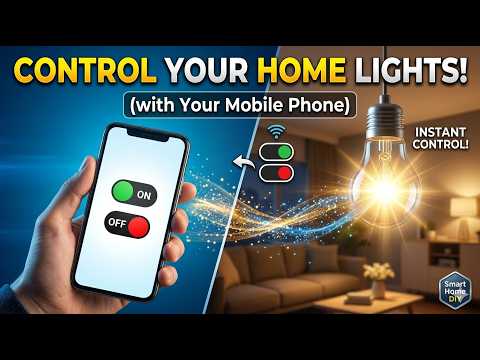
In this video, I’ll show you how to control lights with your smartphone . This simple home automation project allows you to turn your lights on and off wirelessly with just a tap on your mobile device. I’ll guide you through the wiring, coding, and setup, making it easy for beginners to follow along. Don’t forget to like, subscribe, and share if you find this project useful!”
💬 Have any questions? Drop them in the comments!
Materials Needed:
=================================
1) Arduino Uno
2) HC-05 Bluetooth Module
2) 1 Channel Relay Module
3) 220v Bulb
4) Breadboard & Jumper wires
=================================
Links & Resources:
📜 Code & Circuit Diagram:
👉 Check out my gear here:
Camera:
Microphone:
Light:
Tripod:
Cutting Mat :
Some links may be affiliate links. I may earn a small commission if you purchase through my links, at no extra cost to you.
More Arduino Related Projects
Gesture Control Robot – Build a Robot Controlled by Your Hand Movements!
Control Robot With The Wave Of Your Hand! | Gesture Control Car
Build A Smartphone-controlled Arduino Bluetooth Car With This Diy Tutorial!
Control Your Own Robotic Car with a Joystick! | Joystick-Controlled Robotic Car
How to Make Arduino based Tv Remote control Robot Best for Science Project | DIY 🔥
How to make Smart Dustbin with Arduino | Arduino school project
Measure Distances Accurately with Arduino and Ultrasonic Sensor!
Turning an Old Water Cooler into a Smart Tap! 💧✨”
Arduino home automation
Control lights with smartphone
DIY home automation project
Smartphone-controlled lights
Arduino Bluetooth control
HC-05 tutorial
Home automation using Arduino
DIY smart home system
Arduino projects for beginners
Mobile-controlled lights DIY
Arduino Bluetooth relay control
Smart home automation tutorial
Bluetooth-controlled home appliances
Voice control home automation Arduino
Arduino relay module tutorial
#ArduinoProjects, #HomeAutomation, #DIYProjects, #BluetoothControl, #SmartHome, #TechTutorial, #ArduinoUno, #DIYHomeAutomation, #ElectronicsProjects, #ArduinoDIY, #SmartphoneControl, #HC05Bluetooth, #RelayControl, #ArduinoTutorial, #DIYElectronics


YOUR THE BEST
Can you explain the same project using pir sensor
Very good idea 💡.
Thank you
Please i need thé link of the code…..
Cost of this project??