
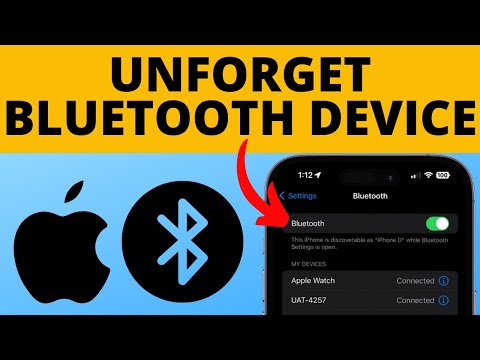
How to unforget a bluetooth device on iPhone? In this tutorial, I show you how to reconnect to a bluetooth device even if you forgot it. It’s easy to unforget bluetooth devices like headphones, cars, transmitters, or other bt devices by reconnecting to them. To unforget a bluetooth device we simply need to put it in pairing mode and open the bluetooth settings on our iPhone. Let me know in the comments below if you have any questions while you unforget a bluetooth device on iPhone.
More iPhone Tutorials:
#iPhone #iphonetricks #bluetooth
Disclaimer: Some of the links in this description are affiliate links. As an Amazon Associate and a partner of other affiliate programs, this mean I earn a small commission from qualifying purchases through these links. This helps support the channel and allows us to continue to make videos like this. Thank you for the support!
😀 SUPPORT THE CHANNEL 😀 (Paid links)
TubeBuddy YouTube Toolkit:
StreamYard Livestreaming Tool:
Nord VPN:
Check out My Amazon Storefront:
SUBSCRIBE NOW!:
SEND ME A TIP!:
FOLLOW ME!
BLOG:
FACEBOOK –
TWITTER –
REDDIT –
INSTAGRAM –
TWITCH –
Learn How To Crochet:
HOW DO I DO IT? (Paid Links)
My YouTube Setup:
Lenovo Legion 5-15IMH05H:
Turtle Beach Elite Pro 2 + SuperAmp Pro:
700W Lighting Kit –
Blue Yeti USB Microphone –
Logitech C920 Webcam –
Cell Phone – Pixel 2 XL –
Vanguard VS-82 Table Tripod –
Yooo I just tried it and it worked perfect, by holding down the power button on headphones. Thank you
THANKS
You the goat
Stil Did NOT work . The “forgotten ” device is not appearing while phone is searching
It receiving a pin code for the half of second only to change it to forget device …
OMG YOU SAVED ME