
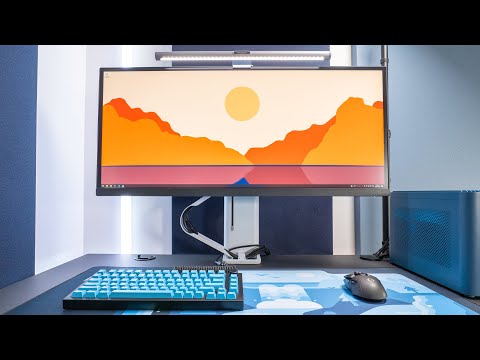
In this video, I’m having a look at Ergotron’s newest monitor arm; the Trace. This monitor features a new design and allows linear movements in all directions!
Ergotron Trace
Full Desk Setup
Wallpaper
Kit ~
Instagram ~
Filming Gear
Panasonic G9 Camera –
Panasonic 10-25mm f/1.7 Lens –
Manfrotto 502 Video Head –
Manfrotto 190Go Tripod Legs –
Rode Podmic Microphone –
Audient Evo 4 Audio Interface –
Compact Carbon Fiber Slider –
Elgato Key Light –
Timestamps
Intro – 0:00
Unboxing & installation – 0:18
Technical specs – 1:31
Design – 1:54
Height adjustments – 2:25
Lateral adjustments – 3:10
Base design – 3:43
Who is it for? – 4:13
Cons – 5:06
Conclusion – 5:40
Disclaimers
This description contains affiliated links where I get a commission at no extra costs for my viewers. Most products are sent my way for free. I am not paid to review products and all opinions are my own.
Oh forgot to mention!
You can indeed rotate the monitor 90 degrees, or lock it into place with a screw.
I just didn’t even think to try that with that 34″ ultrawide! 😅
Hello. I’m interested in purchasing this product, but since this video is a bit older, I was wondering if you still recommend it? Any updated insights would be greatly appreciated. Thanks!
VISA mount kek
I have the Trace for dual monitor setup. And I have the HX from Ergotron as well for another setup. I find the Trace more practical. It does a better job managing cables and it has more freedom in movement. I think the cable guide kinda looks cool. But the grommet mount shouldve been included in my opinion. It’s an additional purchase.
Its clumsy and so ugly. Cable Management looks like a kindergarten Design project. The stand steals the picture instead of getting outta the way.