
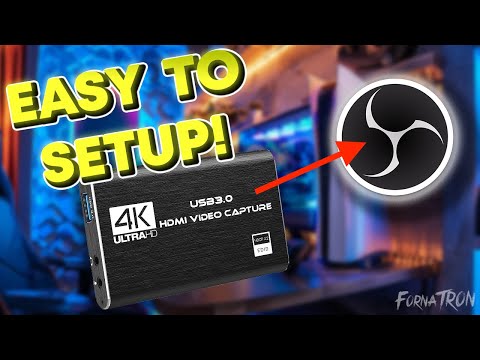
#FornaTRON #capturecard #obsstudio
READ THIS FIRST
My video got copyright striked for using music that was supposed to be DRM free. So that is why the audio cuts out part way through. I have MUCH NEWER and better videos on my channel for setting up capture cards. Just go to my channel and watch the specific video for your console and the OS you have OBS Studio setup.
here are the links
PlayStation 4,5, PRO ► ⇾
Switch, Switch 2, Switch OLED ► ⇾
Xbox One & One X/S , Xbox Series X /S ► ⇾
OBS STUDIO SETUP WINDOWS ► ⇾
OBS STUDIO SETUP MacOS ► ⇾
*** IMPORTANT ***
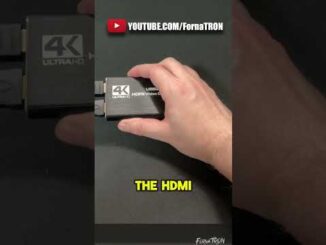
– Listen to the WORDS that I am saying. The HDMI cable coming from your console goes into the HDMI INPUT of the capture card. And the HDMI cable that goes into your tv or display goes into the HDMI OUTPUT of the Capture card.
Also watch my newer videos. This one is outdated.
—
💬 JOIN THE FORNATRON DISCORD
►
—
📺 HELPFUL SETUP GUIDES
How to Setup a Capture Card in OBS Studio on PC
►
How to Setup a Capture Card in OBS Studio on macOS
►
How to Setup a PS5 with a Capture Card
►
How to Setup an Xbox with a Capture Card
►
How to Setup a Nintendo Switch with a Capture Card
►
How to Setup a USB Microphone
►
How to Setup OBS for Streaming on Twitch
►
Best OBS Settings for Recording Gameplay
►
How to Stream with Party Chat / Elgato Chat Link Setup
►
—
📱 FOLLOW FORNATRON
TWITTER / X
►
TIKTOK
►
—
🤝 BUSINESS INQUIRIES / PRODUCT FEATURES
Interested in having your product or service featured on the FornaTRON YouTube Channel?
Please read my sponsor and product feature information before reaching out:
►
—
🖥 GEAR I USE 📷
COMPUTER ⇾
MONITORS ⇾
CAPTURE CARD ⇾
STREAMING MIC ⇾
GAMING HEADSET ⇾
WEBCAM ⇾
BEST MOUSE ⇾
—
🎵 MUSIC
Music from StreamBeats by Harris Heller
►
—
Some links in this description may be affiliate links. If you purchase something through one of these links, I may earn a commission at no additional cost to you.
⚠ IMPORTANT — PLEASE READ ⚠
Comments are disabled due to repetitive questions.
Please follow these setup guides first before asking for help 👇
🎮 Console Capture Card Setup
• Xbox: https://youtu.be/IR09YgQJexg?si=fGmF0veHMwmK3z1S
• PlayStation: https://youtu.be/0EZduDd-fqc?si=53SMbqkCBfAdotEn
• Nintendo Switch / Switch 2: https://youtu.be/H1eXr1ntgsM?si=seBLFSxRFFnxKrSp
💻 OBS Setup (Streaming PC)
• Windows: https://youtu.be/IoRxRaIaFoI?si=ZHS1rQ686WfblrCr
• MacOS: https://youtu.be/-XW7ybdu6Uw?si=fRfOG5izkF1Fuawj
🎧 More Helpful Guides
• Chatlink Cable / Party Chat — https://youtu.be/tc8cfOSfUMc?si=Uz7PHQhj6jFt_OXs
• Mic & Audio Setup — https://youtu.be/RANiMyy2yZs?si=1DBJ04Z9FxyFv5LW
• Improve Audio Quality — https://youtu.be/x7Tf77DbJAQ?si=bFwx897b4SNB5_Vw
• Add Chat Overlay — https://youtu.be/t8u0Jg2RqfM?si=1MqTQNfKRAlHm7p6
💬 Need Extra Help?
Join my FREE Discord for step-by-step written guides & support:
👉 https://discord.gg/jVPne9kYHN
Thank you all for the amazing support! 🙏
It’s incredible seeing so many of you kickstart your streams and YouTube channels with my help.
If my videos helped you, please like & share to support the channel ❤
— FornaTRON
Thanks so much! I wanna get into filming splatoon and this was super helpful!
Thank you very much💪
Does it effect on resolution or framerate on ps5
Windows 11?