
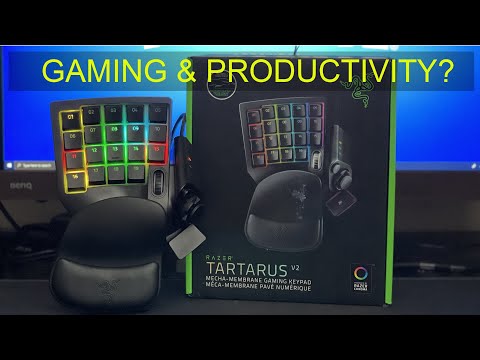
In this video I review the Razer Tartarus V2 Gaming Keypad.
I do an unboxing and in-depth review of the keypad.
I also do a tutorial on how to setup the Tartarus with the Razer Synapse software. I show you how to create key profiles, assign keyboard functions, create macros and assign them to the keypad.
It’s a 2 week review for using it in Davinci Resolve Studio (Video editing) and for online gameplay (Fortnite)
Chapters:
00:00 Intro
01:20 Unboxing and review of the keypad
03:43 How to setup synapse software with the keypad
03:45 How to create a unique keypad profile
04:50 How to assign a keyboard key or function to the keypad
05:09 How to record a macro and assign it to the keypad
06:20 How to create a chroma lighting profile
07:46 Fornite gameplay with the keypad
08:55 Final thoughts
Don’t buy. The thumb stick systematically fails quickly, and they will not replace under warranty. Mine died in less than 2 months.
So weird when people buy the tartarus and still use wasd instead of the joystick!
can this be map to use one handed for everything in gaming only no mouse (eg I’ve had surgery n only have left hand free for next 3mths before i can look at using right hand again)
can you share your davinci profile?
D-Pad switches on this are cheap garbage that break ALL THE TIME, even if you make a point of being gentile w/it. You end up having to warranty return again and again, or buy replacement switches and do surgery on it.