

SSD prices have gone crazy — and it’s not just hitting AI companies and data centers. It’s affecting filmmakers, editors, content creators, and honestly anyone who owns a computer.
Get occasional Reach Films updates on filmmaking gear, camera tests, editing workflows, and new videos:
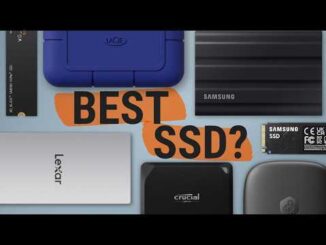
In this video, I break down my real external SSD setup in 2026 and show you how I’m getting fast storage without overpaying.
I cover the two external SSD solutions I actually use every day at home — plus an optional high-performance upgrade if you need insane speeds. These aren’t quick reviews or spec-sheet opinions. This is my real-world workflow after months (and years) of use.
If you’re tired of seeing 1TB drives priced in the hundreds, this video will help you build a fast, affordable storage setup that works on both Mac and PC.
In this video:
✅ Why SSD prices are rising (and what it means for creators)
✅ My daily external SSD setup for editing multiple projects
✅ Best value desktop SSD option
✅ Best portable / modular SSD enclosure
✅ Optional 6,000 MB/s upgrade for power users
✅ How I balance speed, capacity, and cost in 2026
Whether you’re editing video, managing large photo libraries, or just running out of space on your computer — this setup gives you serious speed per dollar without paying premium-brand prices.
Tech discussed in today’s video:
Orico Minimate TB5:
ORICO MiniMate 2TB External SSD:
ORICO MiniMate 4TB External SSD:
OWC Express 1M2 Portable NVMe Thunderbolt (USB-C) SSD USB4 Ultra Fast External SSD Drive with Aluminum Heat Sink Enclosure (Enclosure Only):
OWC Express 1M2 80Gb/s Portable NVMe SSD USB4:
Crucial P310 1TB SSD:
Orico 1Tb NVME SSD:
The NVME SSD I use: Crucial T500 2TB Gen4 NVMe M.2 Internal Gaming SSD:
M4 Mac mini:
The Camera I use:
The ND Filter I use:
The Key Light I Use:
The Softbox I use:
How to make External SSD your Main Drive on M4 Mac mini:
BEST External Drive Video:
As an Amazon Associate, I earn from qualifying purchases. This means that if you click on one of the product links in this video/description and make a purchase, I may receive a small commission at no extra cost to you. Your support helps me continue creating content like this. Thank you!
#sigma #blackmagiccinemacamera #blackmagicfullframe

Do you have a video on assembling a budget DAS? I fill 20TB in a few months with video archives. Thanks
*checks desc* “700$” unc wtf
Great video. I am runnning a PLEX server with 20 TB of content. What would be your suggestion If I went to SSD for storage…………I am currnetly running a 20TB traditional hard drive hooked up to M2 Imac
AI requirements are driving prices insane !
Brand new to this world so don’t shoot .. what would be best for gaming on a laptop ? Specifically for steam and battle